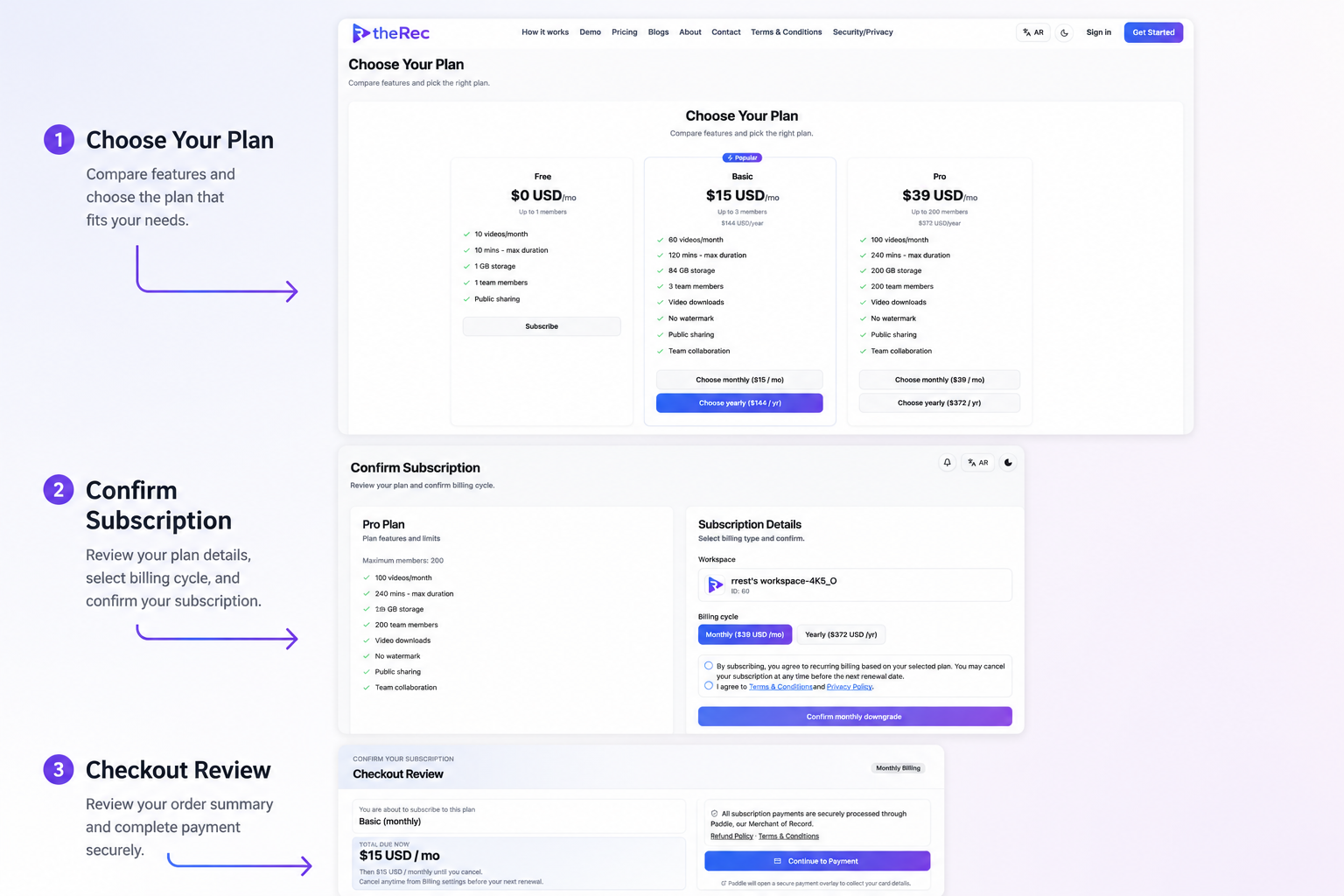
How Screen Recording Works on theRec
A complete workflow from browser capture to secure sharing — designed for async teams.
End-to-end workflow
theRec.site removes desktop installs and long upload waits. You record from Chrome, Edge, or Firefox, your video uploads in secure segments, our cloud prepares playback and thumbnails, and you share a link or invite teammates into a workspace. The steps below reflect the exact flow you will see in the product.
How it works
Record your screen in minutes
Follow a few simple steps to capture your screen, camera, and microphone, then save, download, or share your recordings with ease.
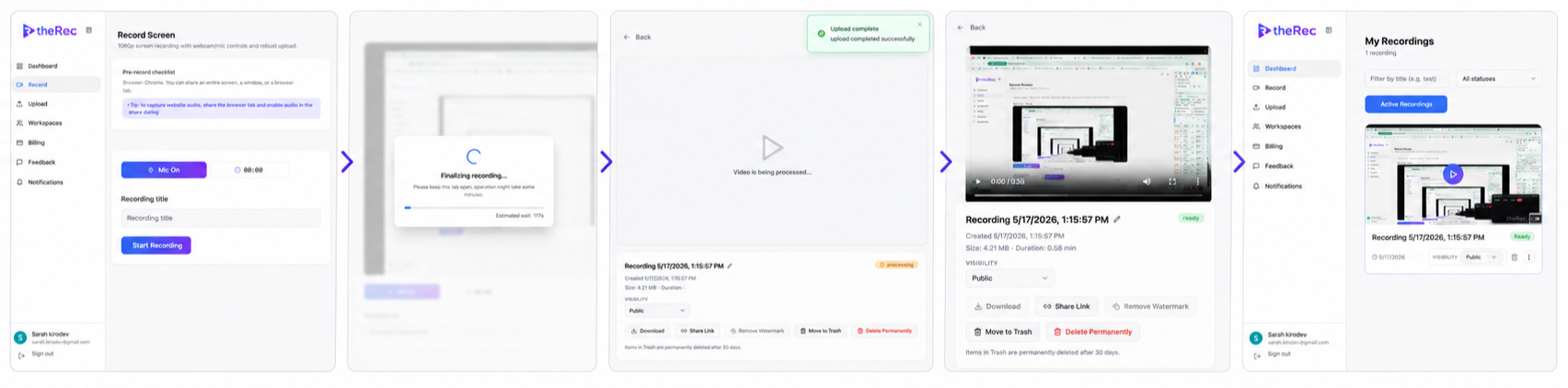
01
Start Recording
Choose screen, window, or tab with optional camera and mic.
02
Initialize Upload
Resume interrupted uploads when possible.
03
Processing Video
Get notified when processing completes.
04
Recording Details
Collaborate with your workspace team.
05
Workspace Dashboard
Track usage and subscription limits.